
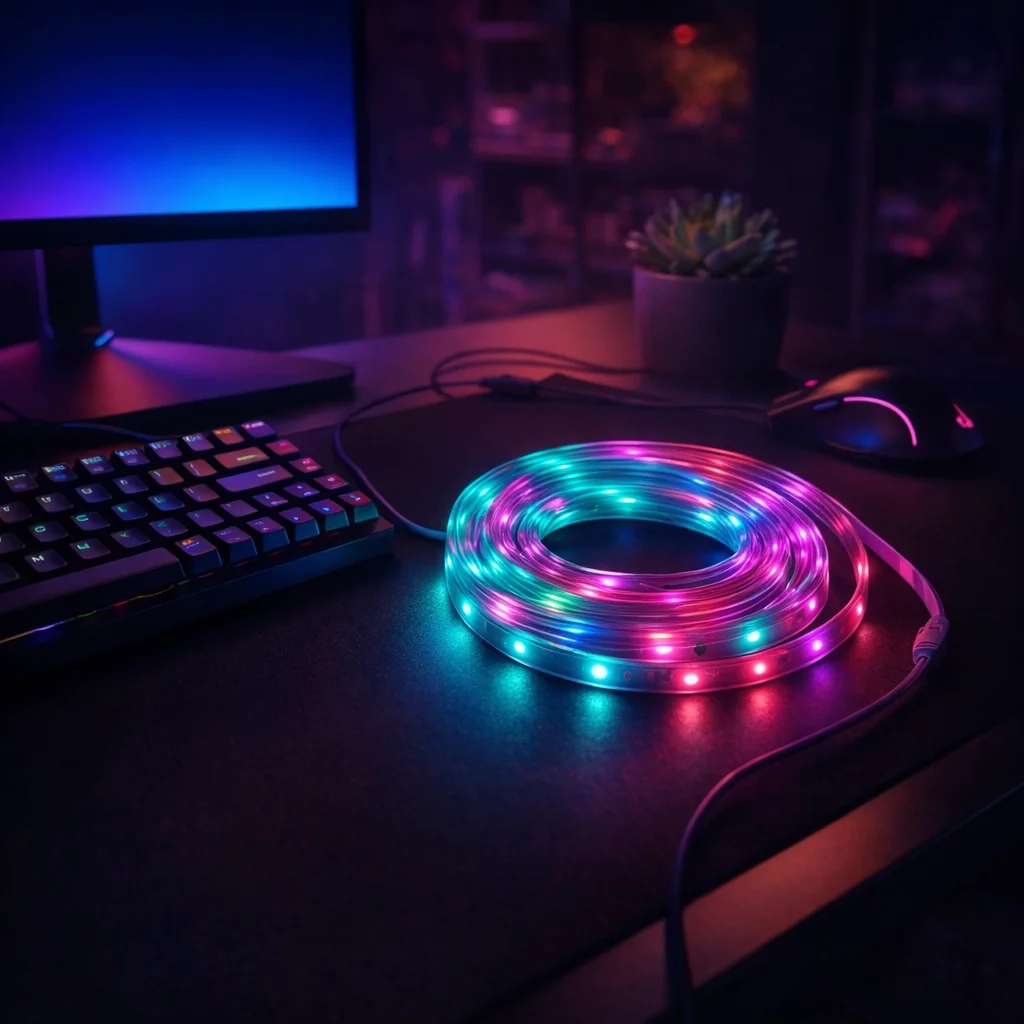
Why Lighting Makes or Breaks a Gaming Setup
If you've been searching for the best LED strip lights for gaming room setups, you already know the feeling. You spend hours dialing in your monitor settings, your chair position, your headset comfort, and then you look up and realize your room looks like a fluorescent-lit office cubicle. The vibe is completely off.
Gaming rooms are personal. They're the one space in your home where you get to control everything, including the atmosphere. And nothing transforms a room from forgettable to immersive faster than the right ambient lighting running behind your desk, along your shelves, or across the ceiling.
But here's the thing most people get wrong: they buy whatever is cheapest, slap it behind their monitor, and end up with a strip that flickers after two weeks, colors that look washed out on camera, or an app that crashes every time they try to change the scene. The result is frustration, not immersion.
This guide cuts through the noise. We've looked at what actually matters for gaming setups, where most budget options fall short, and where one particular product manages to punch well above its price point.
"The right ambient lighting doesn't just look good in screenshots. It changes how long you can game comfortably, how your stream looks on camera, and how much you actually enjoy being in the space."
What to Actually Look for in Gaming Room LED Strips
Before you buy anything, it helps to know what separates a genuinely good gaming room strip light from one that sounds great in the product listing and disappoints in real life. Here are the things that actually matter.
Color Vibrancy and Range
Not all RGB is created equal. Some strips produce colors that look vivid in a dark room but muddy and pale when there's any ambient light. For a gaming setup, you want colors that pop whether you're playing at midnight or streaming during the day. Look for strips that can produce deep, saturated reds, electric blues, and rich greens, not just pastel versions of those colors.
A wide color range also matters for mood matching. Maybe you want a calm blue for late-night sessions, a pulsing red for competitive play, or a warm white for when you're watching something on your monitor. Flexibility here is everything.
Control That Doesn't Get in Your Way
This is where a lot of budget strips fail completely. An app that requires you to re-pair your device every session, a remote that stops responding from six feet away, or a control system that only works when you're standing directly in front of it, these are dealbreakers when you're mid-game and just want to dim the lights.
The best setups offer both app control and a physical remote. That way, you can use the app for detailed color programming when you have time, and reach for the remote when you just need a quick change without breaking your focus.
Length Options That Match Your Space
A strip that's too short looks incomplete. A strip that's too long creates a mess of excess cable you have to hide. Gaming rooms come in all sizes, from compact bedroom setups to dedicated game cave rooms, so having real length options matters. The ability to choose between shorter runs for desk setups and longer runs for full room installations means you're not forced to compromise.
Flexibility and Mounting That Actually Sticks
Your gaming room has corners, curves, and awkward angles. A strip that cracks or loses its adhesion after a few weeks is a strip you'll be re-installing every month. Good flexibility means the light follows your surfaces without fighting you, and a reliable backing means it stays where you put it.
Consistency Across the Whole Length
One of the most common complaints with cheaper strips is hot spots, sections that glow brighter than others, or color inconsistencies where one end looks slightly different from the other. For a gaming room where the whole point is visual atmosphere, uneven lighting breaks the illusion immediately.
Our Top Pick: The Strip Light That Gets It Right
After looking at what gaming setups actually need, one product stands out as the best LED strip lights for gaming room use at the budget end of the market: the Stripely RGB LED Strip Lights, available in 5m, 10m, 20m, and 30m lengths.
Here's what makes it worth recommending, and where it has honest limitations.
The Atmosphere It Creates
The color output on this strip is genuinely impressive for the price. The RGB range covers deep, saturated tones that hold up well in a lit room, not just in complete darkness. Whether you're setting a calm scene for a long RPG session or cranking up a pulsing red and blue pattern for a competitive shooter, the colors feel intentional rather than accidental.
The even distribution across the full length of the strip is something you notice immediately when comparing it to cheaper alternatives. There are no obvious bright spots or dead zones. The glow is smooth and consistent, which makes a significant difference when the strip is visible behind a monitor or along a ceiling edge.
The Control Experience
The dual-control setup here is one of the strongest points. The smartphone app gives you access to a full color wheel, preset scenes, music sync modes that pulse with your audio, and scheduling options so your lights automatically set the mood before you even sit down. For streamers, being able to program specific color profiles for different content types is a genuine workflow improvement.
The included infrared remote handles quick changes without pulling out your phone. It's responsive and covers a reasonable range, which means you can adjust the vibe from across the room without interrupting your session.
"The music sync feature alone is worth it for streamers. Your lights pulse with your game audio in real time, and it shows up beautifully on camera without any extra effort."
Length Options for Every Setup
The 5m option works perfectly for a single desk setup, running behind a monitor and along the underside of a desk shelf. The 10m length is ideal for a bedroom gaming corner where you want to cover the desk, a shelving unit, and maybe the perimeter of a TV area. The 20m and 30m options are genuinely useful for dedicated gaming rooms where you want full perimeter coverage or a ceiling installation that wraps the entire space.
Having these options available at consistent quality across all lengths is something a lot of competing products don't manage. Often, the longer lengths show more inconsistency or require additional controllers that introduce lag or color mismatch.
Honest Limitations
No product at this price point is perfect, and it's worth being upfront about the trade-offs.
The app, while functional and feature-rich, has occasional connectivity hiccups on certain Android devices. It's nothing that a quick re-pair doesn't fix, but it can be mildly annoying if it happens during setup. The infrared remote also requires line-of-sight to the controller, so if your controller is tucked away behind a monitor, you may need to reposition it.
The adhesive backing is solid on smooth surfaces like painted walls and clean desk undersides, but if you're mounting on textured surfaces or rough wood, adding a few cable clips for extra support is a smart move.
These are minor issues in the context of what you're getting. At this price, the performance-to-cost ratio is hard to argue with.
How to Set Up LED Strips for Maximum Gaming Atmosphere
Buying the right strip is only half the job. Where and how you install it determines whether your setup looks like a professional gaming den or a DIY project gone sideways.
Behind the Monitor: The Classic Move
Running a strip along the back edge of your monitor creates bias lighting, a soft glow that reduces eye strain during long sessions and looks fantastic on camera. The key is to run it along the top and sides rather than just across the bottom. This creates a halo effect that feels intentional and polished.
Use a warm white or soft blue for marathon sessions where eye comfort matters. Switch to reactive RGB when you're streaming or recording content where visual energy matters more.
Desk Underside and Shelf Edges
Running strips along the underside of your desk and the front edges of floating shelves creates layered lighting that adds real depth to your setup. The key here is to hide the strip itself so you see the glow, not the hardware. Tucking the strip just inside the edge of a shelf, facing downward, gives you a clean floating light effect that photographs beautifully.
Ceiling Perimeter for Full Room Immersion
For dedicated gaming rooms, running strips along the ceiling perimeter is the move that takes a setup from "nice" to "impressive." The longer length options make this practical without requiring multiple strips and controllers. A single color wash across the ceiling, coordinated with your desk lighting, creates a cohesive atmosphere that makes the whole room feel designed rather than assembled.
Behind the TV or Secondary Display
If your gaming room doubles as a media room, running strips behind your TV creates the same bias lighting effect as a monitor setup, but at scale. Set it to a neutral white for movie watching and switch to dynamic color for gaming sessions.
How It Stacks Up Against the Competition
To give you a fair picture, here's how the Stripely RGB LED Strip Lights compare to what else is available at similar and higher price points.
| Feature | Stripely RGB Strips | Generic Budget Strips | Premium Smart Strips |
|---|---|---|---|
| Color Vibrancy | Strong, consistent | Variable, often washed out | Excellent |
| App Control | Full-featured, music sync | Basic or non-existent | Full-featured, voice control |
| Physical Remote | Included | Sometimes included | Rarely included |
| Length Options | 5m, 10m, 20m, 30m | Usually 5m only | Limited, expensive per meter |
| Even Light Distribution | Consistent | Inconsistent | Excellent |
| Price | Budget-friendly | Cheapest | Significantly higher |
| Setup Complexity | Simple | Simple | Moderate to complex |
The honest takeaway from this comparison is that the Stripely strips occupy a genuinely useful middle ground. Generic budget strips save you a few dollars but consistently disappoint on color quality and control reliability. Premium smart strips deliver a better experience in some areas, particularly voice assistant integration and ecosystem connectivity, but at a price that's hard to justify for most gaming room setups.
If you're not building a full smart home ecosystem and you just want great-looking, easy-to-control lighting for your gaming space, the value case for the Stripely option is compelling.
"For gamers who want real atmosphere without a complicated setup or a premium price tag, this is the sweet spot. You get the features that actually matter for gaming, without paying for integrations you'll never use."
Frequently Asked Questions
Can I cut the LED strip to fit my specific space?
Yes. The strip is designed to be cut at marked intervals, so you can trim it to fit your exact desk length, shelf edge, or room perimeter without wasting material or leaving awkward gaps. Just make sure you cut at the designated points to avoid damaging the circuit. This makes it practical for setups that don't fit neatly into standard lengths.
Does the music sync feature work with game audio, or only music?
The music sync mode responds to any audio your device's microphone picks up, which includes game sound effects, in-game music, and voice chat. For the best effect, make sure your controller or the strip's receiver is positioned where it can pick up your room audio clearly. Many streamers position it near their speakers for the most responsive sync.
How do I connect multiple strips for a larger room?
The longer length options (20m and 30m) are designed as single continuous runs, which avoids the color-matching and connectivity issues you get when daisy-chaining separate strips. If you need coverage in separate areas of a room, for example, both the desk and the ceiling, using two separate strips with the same app gives you coordinated control from one interface.
Will the adhesive backing damage my walls or desk when I remove it?
On most painted walls and smooth surfaces, the adhesive leaves minimal residue when removed carefully. Peeling slowly at a low angle reduces the risk of paint damage. On particularly delicate surfaces or freshly painted walls, using removable mounting clips as a supplement gives you peace of mind and makes repositioning easier if you ever rearrange your setup.
Is this a good choice for streamers who want their lighting to show up on camera?
Absolutely. The color saturation on these strips is strong enough to register clearly on most webcams and capture cards without washing out or flickering. The dynamic modes, particularly the music-reactive setting, create visible, engaging background movement that adds production value to streams without requiring any additional lighting equipment. Many streamers use bias lighting behind the monitor combined with a perimeter strip for a layered look that reads well on camera.
The Bottom Line
Finding the best LED strip lights for gaming room setups doesn't have to mean spending a fortune or settling for something that barely works. The right strip transforms your space from a room with a computer in it into an environment that feels intentional, immersive, and genuinely yours.
The Stripely RGB LED Strip Lights deliver on the things that actually matter for gamers: vivid, consistent color, reliable dual control through both app and remote, and length options that scale from a single desk to a full dedicated room. The minor limitations around app connectivity and line-of-sight remote use are easy to work around and don't undermine the overall experience.
If you're ready to stop gaming in a room that looks like an afterthought and start building a setup that reflects your style and enhances your sessions, this is the place to start.
Shop the Stripely RGB LED Strip Lights and choose your length today.